
Know if it holds. Before you build it.
Open a STEP file, ask a plain question, and get an answer with a PDF report. Strength, flow, heat and vibration, solved on your own computer.
What a result looks like
Dynence sets up the analysis from your description, checks its own result and reports the verdict, assumptions and confidence.
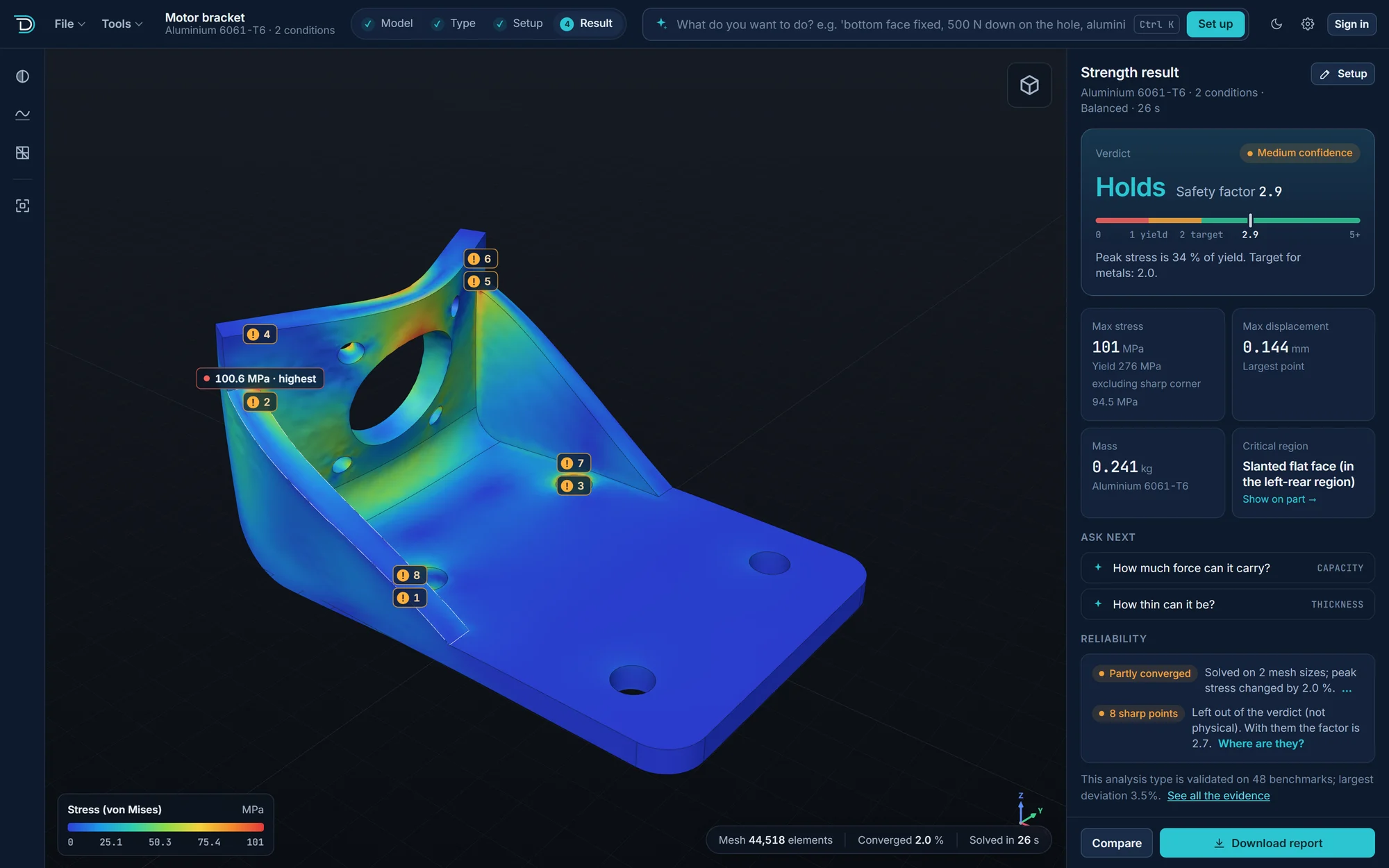
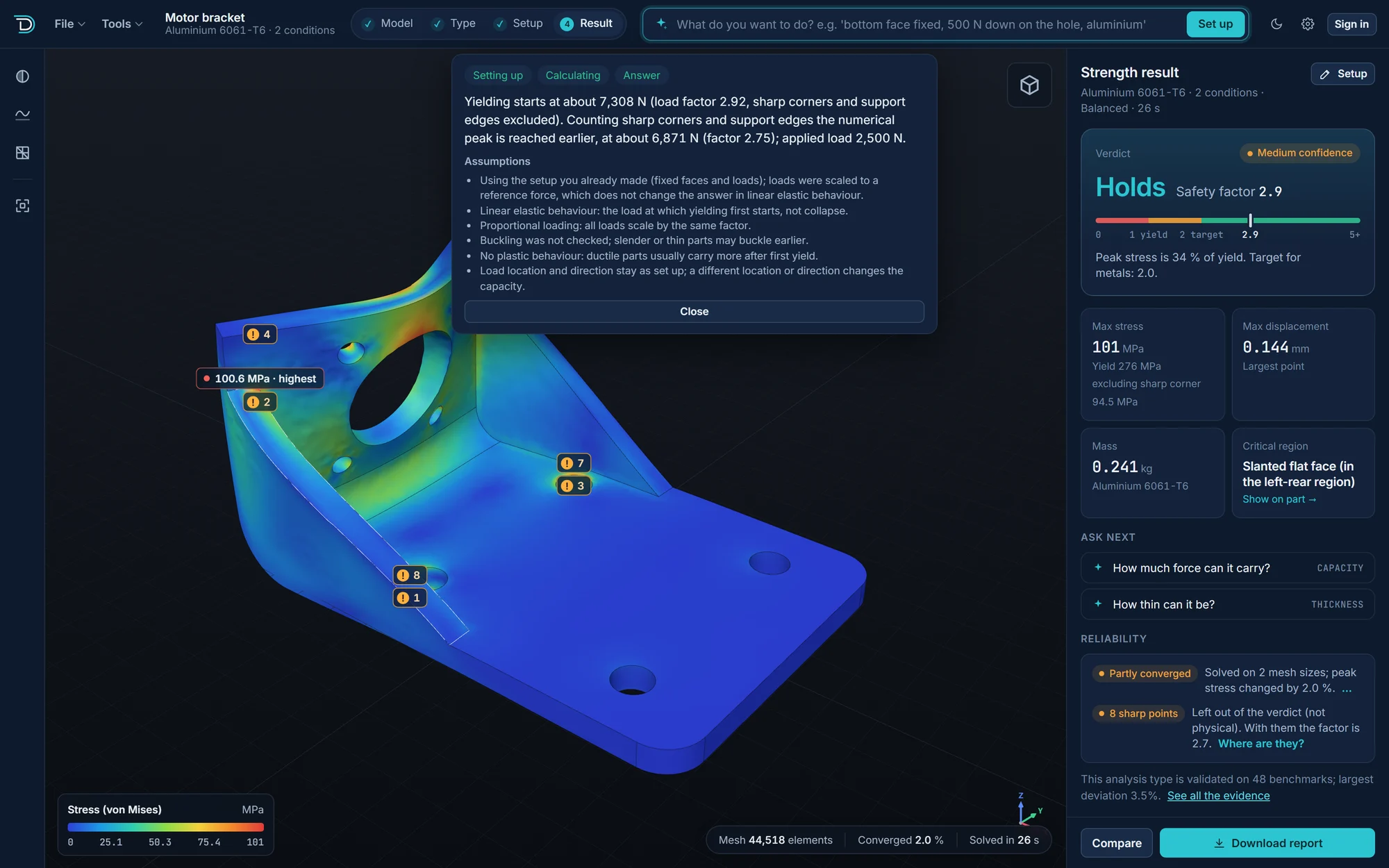
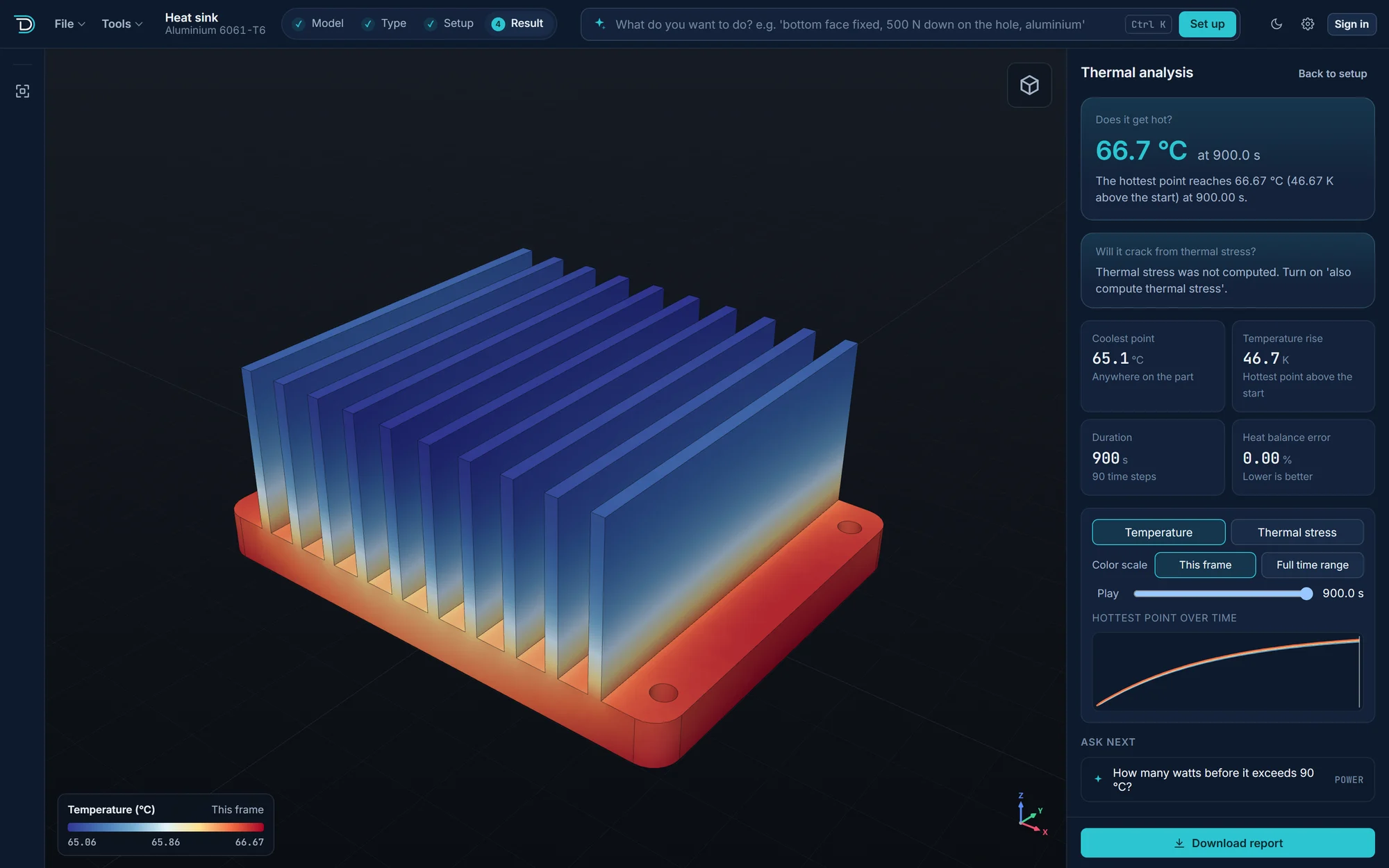
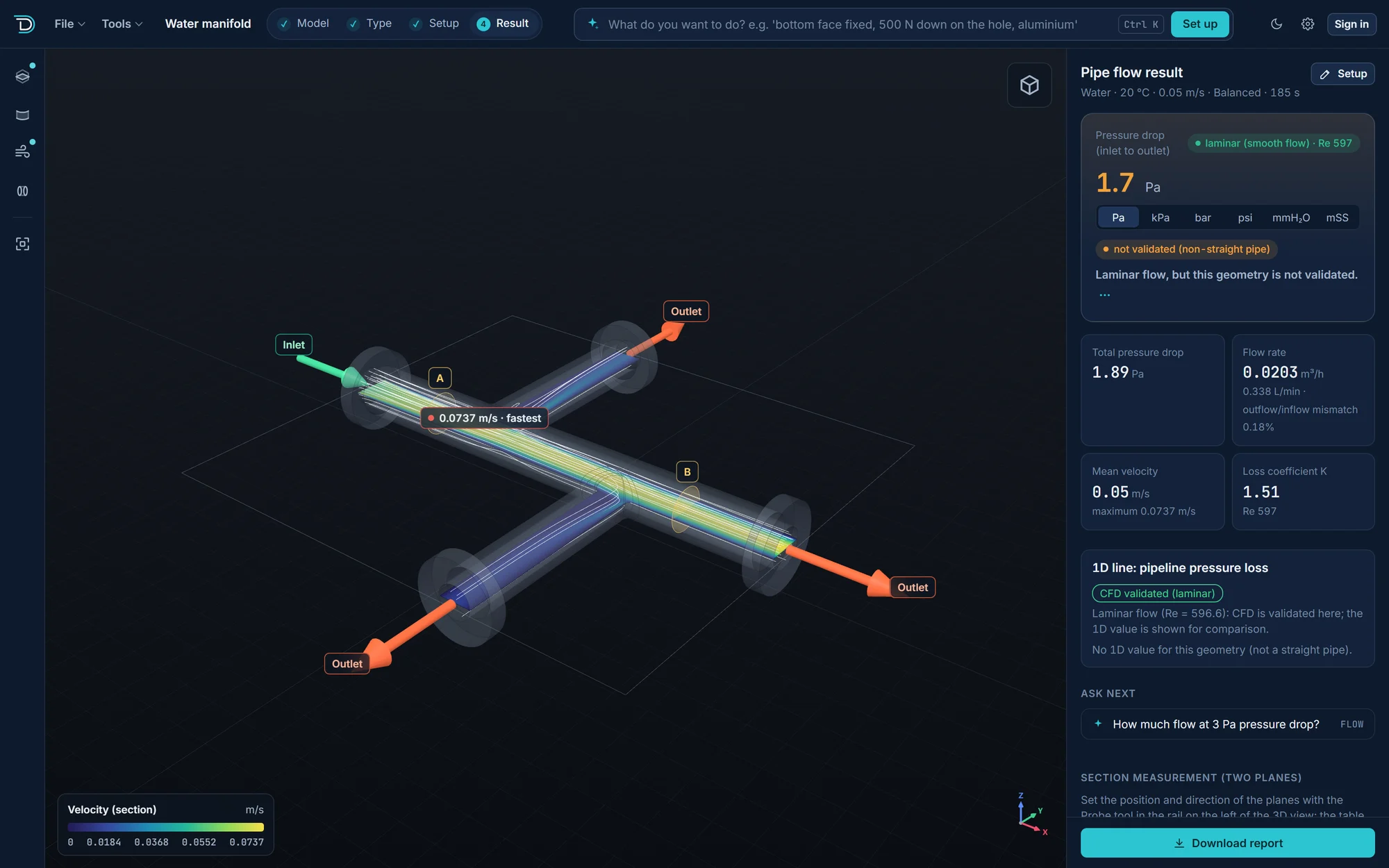
Screenshots of runs on a motor bracket (2.5 kN), a finned heat sink and a water manifold.
How a run works
You say where the part is held, where the load goes and what it is made of. Dynence handles the mesh and the solver.
Open your part
Drop in a STEP, IGES, BREP or STL file, or start from a built-in example. The geometry is checked and meshed for you.
Describe the setup
"Bottom face bolted down, 500 N on the hole at the tip, aluminium." Or click faces yourself. The setup is checked for problems such as a missing support before anything is solved, and you can correct it first.
Read the result
Holds, Marginal or Yields, on the part in colour, plus an A4 PDF report with assumptions, limits and a confidence rating.
Questions it answers
Each question is answered by a dedicated analysis module.
What it analyses
Structures, vibration, heat and flow in one program.
Your files stay on your computer
The mesh, the solver and your results all run on your computer. Your STEP file is not uploaded, so a part under NDA stays under NDA.
Validation results
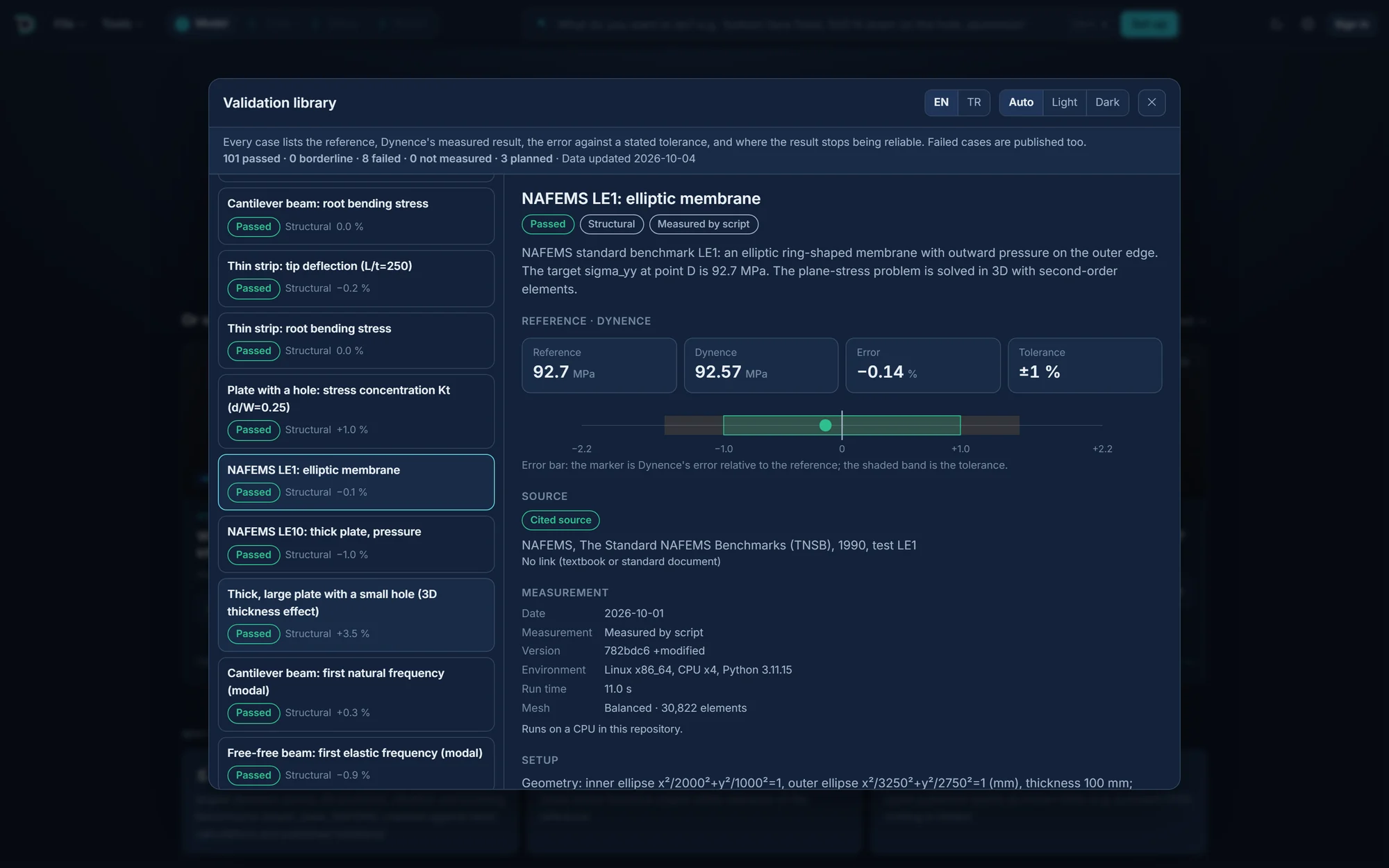
Each case is checked against a closed-form solution, a textbook problem or a published benchmark. Tolerances were fixed before each run. Every case is listed in the validation library.
| Case | Analysis | Reference | Deviation |
|---|
Plans
Prices are per month. Enterprise is priced per seat.
Frequently asked questions
Join the waitlist
Dynence is in final preparation. Leave your email and we will write when the Windows version opens.
We first send a confirmation link. Your email is used only to tell you about the launch. No newsletter, no sharing.